
Your Vakaros Data, Automatically in ChartedSails
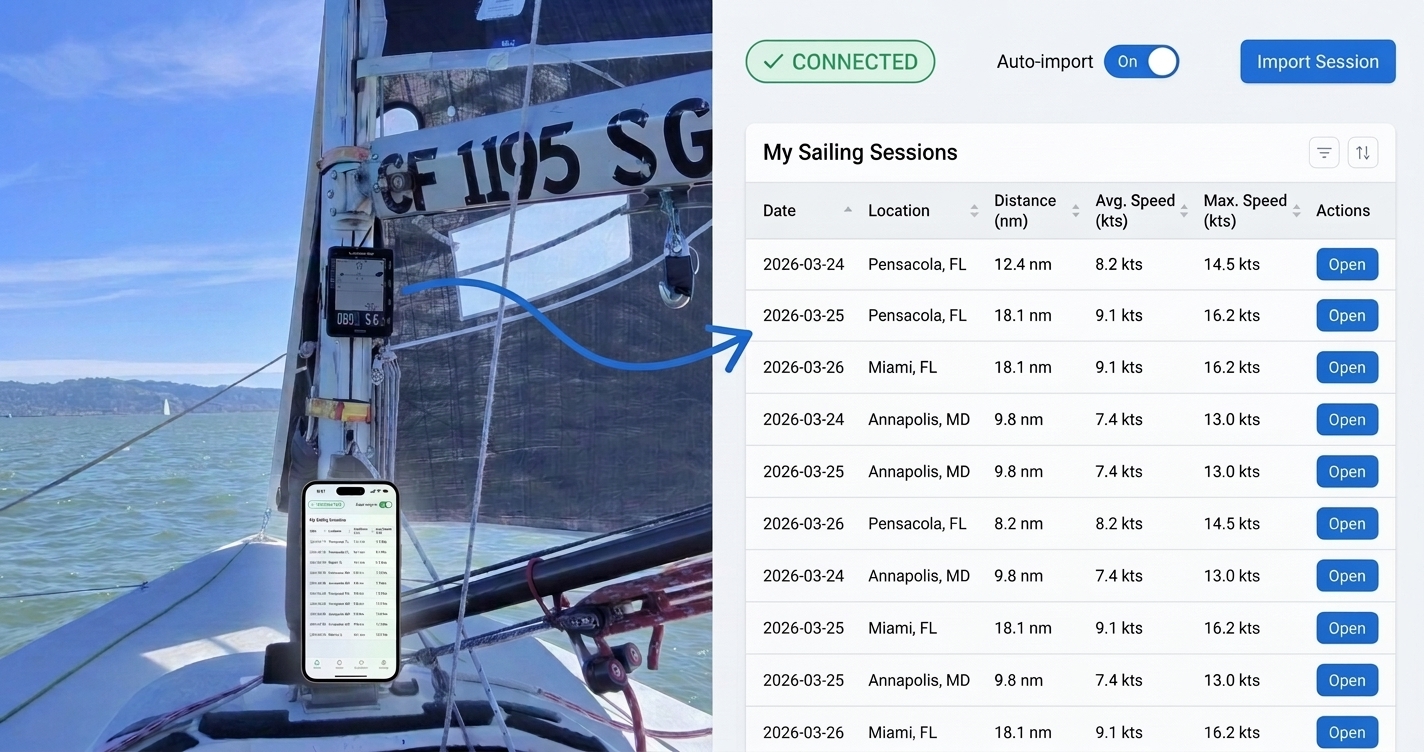
Your Vakaros Atlas captures every sail. Getting that data into ChartedSails used to mean exporting files, transferring them to your computer, and uploading them manually.
Not anymore. Link your Vakaros account once and every session — past and future — shows up in ChartedSails automatically.
Link Once, Sail Forever
ChartedSails now connects directly to your Vakaros account. Sign in once and from that moment on:
- Your new sessions appear automatically in ChartedSails after every sail. No exporting, no uploading, no remembering.
- Your past sessions are one click away. Browse your Vakaros history and import any older session instantly.
That's it. The data capture problem is solved.
The End of "Hey Guys, Upload Your Files"
If you sail with a team, you know the drill. After a training day, someone sends a message to the group: "Hey guys, can everyone please upload their files?" Half the team does it eventually. The other half forgets or doesn't know how.
Once every member connects their Vakaros account, data for the entire group flows into ChartedSails automatically. No reminders, no chasing files, no lost sessions.
And here's something we're particularly proud of: if someone in your group isn't tech-savvy, you can link their Vakaros account to their ChartedSails account for them — just once. After that, they don't even need to open ChartedSails. Their data arrives on its own.
Already in Use Around the World
We've been quietly rolling this out, and hundreds of sessions have already been synchronized automatically:
- Gavin Ball, fresh off winning the Waszp Worlds, uses it to automatically upload his training data.
- Theo Peyre in France captures every ILCA session without thinking about it.
- Mike Schroff at PerformanceRegatta.us has it running for his program.
- Maru Urban automatically uploads Optimist tracks on Lake Garda.
From Waszp to Optimist, from the US to Italy — it works across classes, across geographies, and across skill levels.
Free for Everyone
We built this because we believe data should be easy to capture, not a chore. That's why connecting your Vakaros account is completely free — no subscription required. If you have a Vakaros device and a ChartedSails account, you can link them right now.
Get Started in 60 Seconds
On the web:
- Log in to ChartedSails
- Click the menu button, then select Vakaros
- Enter your Vakaros email and password, and click Connect
- Done. Your sessions will start flowing in automatically.
On mobile:
- Open the ChartedSails app
- Tap the Profile icon (top-right), then tap Vakaros
- Enter your Vakaros credentials and tap Connect
- That's it — turn on Auto-import and every future session arrives on its own.
Want to set it up for your whole team? Let's chat — we'll walk you through it.
A Note on Security
Your Vakaros password is used to authenticate and is not stored by ChartedSails. We maintain a secure connection to your account without ever keeping your credentials.
New to the Atlas? Our Sailing with a Vakaros Atlas guide covers device choice (Atlas 2 vs Edge), recording for race-quality analysis, and what you get in ChartedSails after every sail.
Vakaros and Vakaros Atlas are trademarks of Vakaros. ChartedSails is not affiliated with or endorsed by Vakaros.