
Sailing with a Vakaros Atlas (2026): Atlas 2, Edge, and Analysis
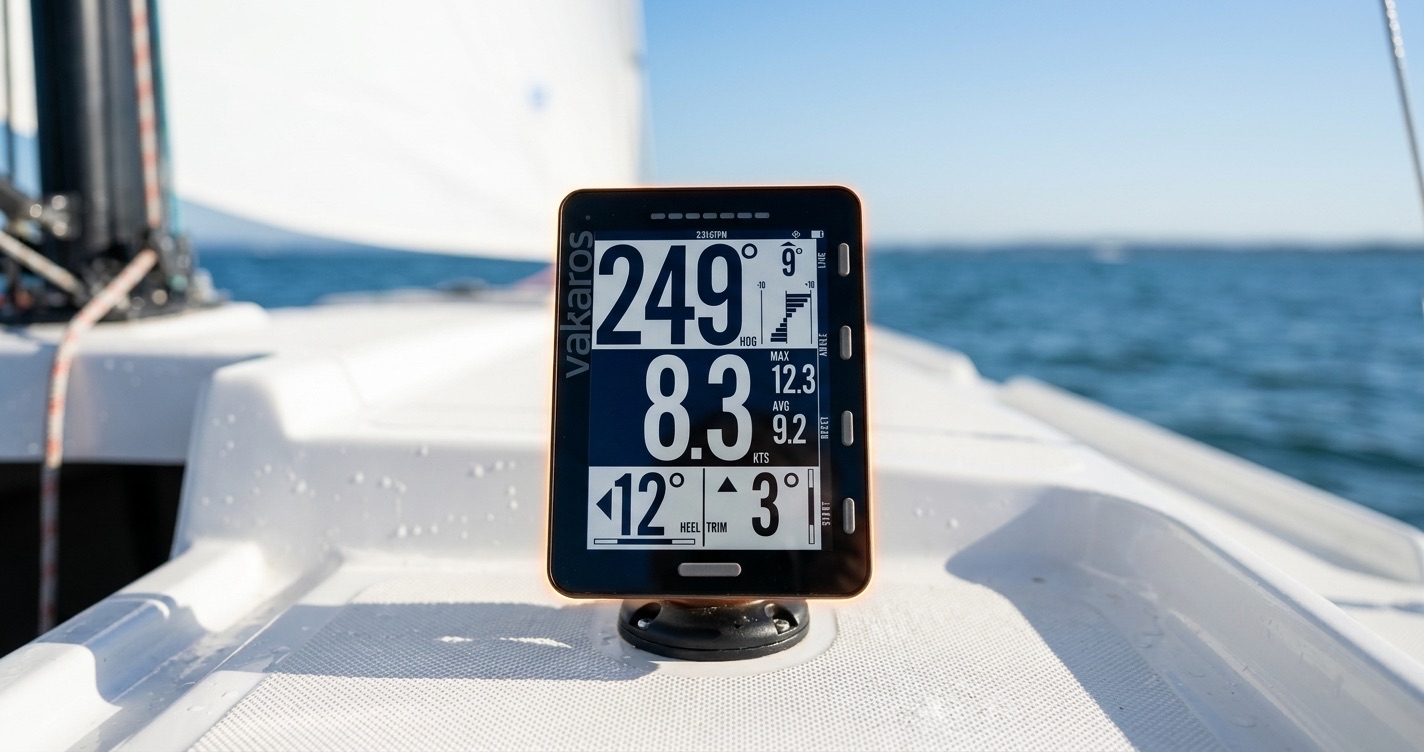
The Vakaros Atlas has become the default high-end sailing instrument for one-design racers — Waszp, Melges, J/70, ILCA, Moth, Foiling Optimist programs, and serious club sailors. Compact, ruggedized, with race-quality GPS and a screen that survives the cockpit. Pair it with ChartedSails and you get an end-to-end recording-to-analysis workflow that's hard to beat.
This guide covers which Vakaros device to pick, how to record clean data, and how to feed it straight into ChartedSails for race and performance analysis.
Atlas 2 vs Atlas Edge — which one?
Vakaros makes two main devices for the deck:
- Atlas 2 is the all-rounder. Big screen, GPS + compass + accelerometer, race timer, OCS detection (via RaceSense), 30+ hour battery. It's what you mount on the cockpit floor of a J/70 or on the deck of a foiler.
- Atlas Edge is the smaller mast-mountable version. Same GPS core, slimmer profile, designed to sit on a mast bracket where the helm can see it on a skiff or dinghy. Less screen real estate, but the data quality is the same.
If you're sailing a keelboat with crew, Atlas 2. If you're solo on a dinghy and want a clean mast-mount, Atlas Edge. Either way, ChartedSails treats the data identically.
Recording a clean track
Out of the box the Atlas captures sailing tracks well. A few tips that matter for race-quality analysis in ChartedSails:
- Start recording before the warning gun. The prestart maneuvering — circling, time-and-distance to the line — is where most of the lessons live.
- Use RaceSense if you're racing on a course with a committee boat that broadcasts start signals. The Atlas will time-stamp the gun precisely; ChartedSails uses that timing to align leg-by-leg analysis.
- Ping the marks, or trust the auto-detection. The Atlas lets you ping a mark as you pass it. ChartedSails will use those pings to lock down course geometry. If you don't ping, our automatic course detection will infer the layout from your track shape — usually fine for windward-leeward courses.
- Leave the device on through the dock-in. The end-of-session approach data helps sanity-check the track and is occasionally useful for post-race analysis.
Get your data into ChartedSails — automatically
The good news: you don't have to think about exporting files. Once you've connected your Vakaros account to ChartedSails, every session syncs automatically. New sails appear on your dashboard within minutes of you docking and the Atlas sending data to Vakaros's cloud.
Read the full Vakaros Link announcement →
To set it up on the web:
- Log in to ChartedSails.
- Click the menu, select Vakaros.
- Enter your Vakaros credentials and click Connect.
- Done. Past sessions are one click to import; future ones flow in automatically.
Or on mobile:
- Open the ChartedSails app on your phone.
- Tap the Profile icon, then tap Vakaros.
- Enter your Vakaros credentials and tap Connect.
- Turn on Auto-import and every future session arrives on its own.
The integration is free — you don't need a paid ChartedSails subscription to use it.
If you're running a team or a coaching program, you can link your sailors' Vakaros accounts to their ChartedSails accounts once, and from then on their data arrives without anyone having to upload anything. No more "everyone please upload your files" group chat.
What you get in ChartedSails
A Vakaros track in ChartedSails gives you:
- A full track replay with second-by-second SOG, COG, and compass heading.
- Automatic maneuver detection — every tack and gybe broken out with entry/exit speeds, VMG loss, turn time.
- Race detection — start, beats, runs, mark roundings, leg-by-leg numbers — automatic when the Atlas captured a race.
- Multi-boat comparison — if your training partners also use Vakaros and ChartedSails, all the tracks line up side-by-side in the same conditions.
- Sailing Reports — a shareable PDF that wraps the day into a structured debrief: weather, scoresheet, start analysis, leg-by-leg.
Vakaros records the kinematics. ChartedSails turns them into a debrief.
Troubleshooting
My session didn't sync automatically. Two checks: (1) Is the Vakaros Link connection still active in your profile? (2) Did the Atlas finish uploading to Vakaros's cloud? The Atlas needs network — it'll sync over WiFi when it gets one.
The track has gaps. Usually a GPS reception issue (you were near a tall mast, in a marina, or the device was wet inside). Compare against the same session on a teammate's track to confirm whether it's location-specific.
Looks like my boat is going sideways. By default ChartedSails uses the heading from the compass inside your Atlas, and sometimes that compass isn't calibrated, or metal nearby (a metal mast, the boom, the keel) throws it off. To ignore the compass and let ChartedSails infer heading from course-over-ground, hover over the boat name in the Instruments panel, click the gear icon, choose Data Options, and tick Ignore Heading.
ChartedSails put my start line in the wrong place. All of this is editable in the session view — drag the line, move marks, re-detect. The leg-by-leg numbers recompute live.
Sailing with other devices
ChartedSails works with most sailing GPS hardware. If you also race with one of these, set them up the same way:
- Sailing with a Garmin watch — Fēnix, Forerunner, Instinct
- Sailing with an Apple Watch — with Open GPX Tracker
- Sailing with a Velocitek Prostart — Prostart and SpeedPuck
See all sailing devices we support →
Vakaros, Atlas, Atlas Edge, and RaceSense are trademarks of Vakaros. ChartedSails is not affiliated with or endorsed by Vakaros.