
Capturing Your Sailing Activities
"You can't improve what you cannot measure"
If you want to sail faster, you need to start by capturing your performance data. It's a simple habit to build, and the most common regret we hear from sailors is: "I wish I had recorded my first year with the boat." So start today—and don't skip a session!
The ChartedSails Mobile App
The easiest way to start recording your sailing is with the ChartedSails app on your phone. No extra hardware needed — just tap Record and go sail.
The app captures your GPS track, speed, and course. It also lets you:
- Ping the marks during a race, so ChartedSails knows exactly where the marks are for race analysis
- Use the race timer to capture the precise start time
- Add comments while sailing to note conditions, tactics, or anything you want to remember
- Upload video directly from your phone after sailing
Dedicated Sailing GPS Devices
For the most complete data, many sailors use a dedicated sailing GPS. These devices are purpose-built for the marine environment and capture additional data like heading, heel angle, and pitch.
Velocitek Prostart
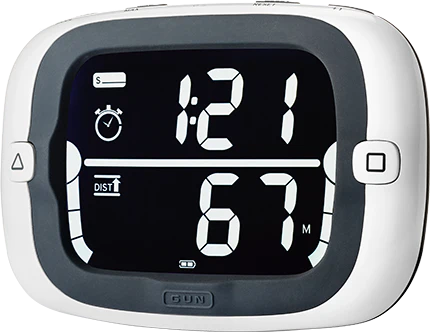
- Pros: Excellent for starts, large screen, easy to use, and great for all types of sailing.
- How to use with ChartedSails: Your data is automatically recorded every time you sail. Just plug the Velocitek into your computer and you will find a VTK file that you can upload to ChartedSails.
- Recorded data: GPS position, speed, course, heeling and pitch angle, heading.
- Pings of the marks and start timer are also recorded.
Vakaros Atlas 2 / Atlas Edge / Atlas
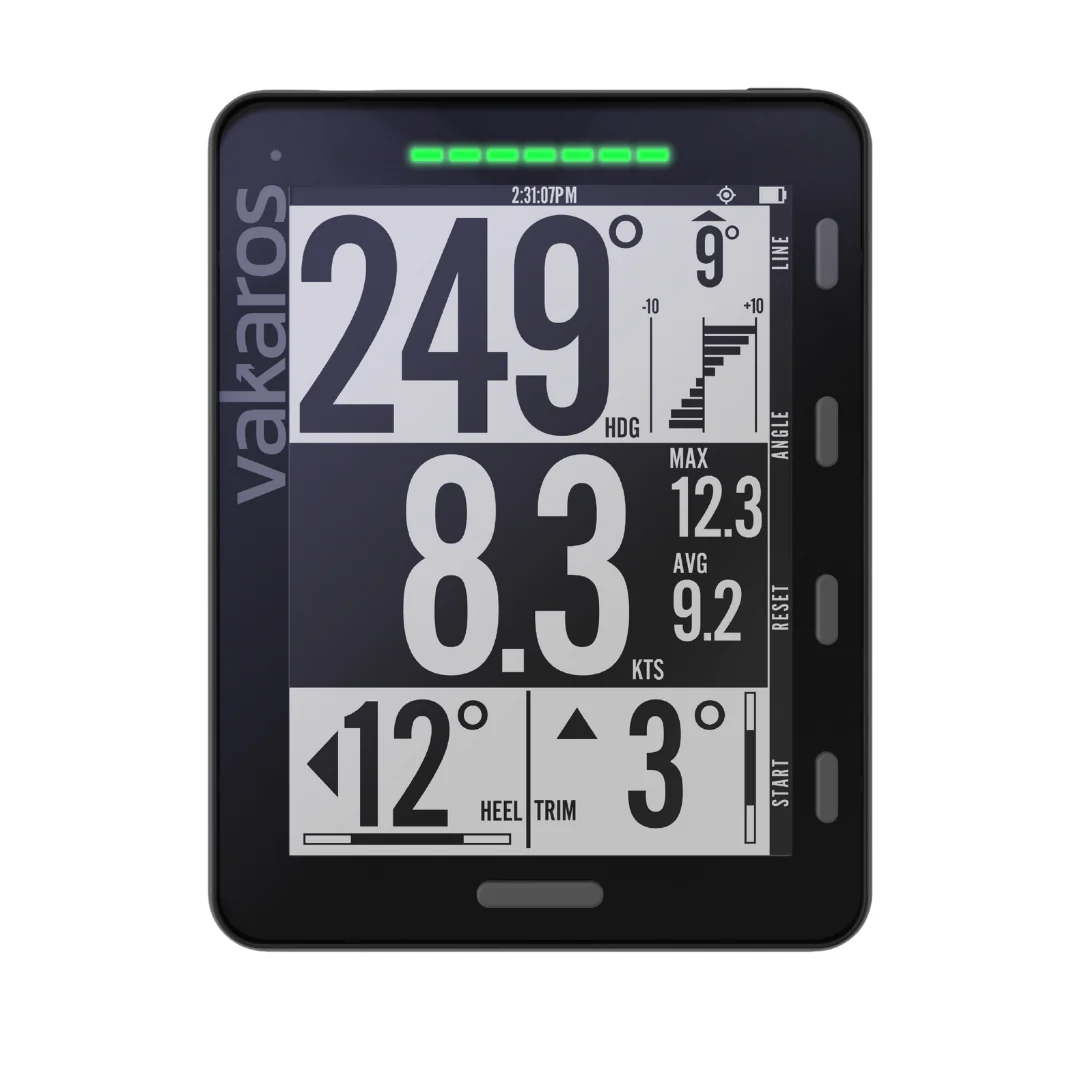
Pros: High precision, easy sync, and great for all types of sailing.
How to use with ChartedSails: Your data is automatically recorded every time you sail. Just use the Vakaros mobile app to export your data. You will get a VKX file that you can upload to ChartedSails.
Recorded data: GPS positions, speed, course, heeling angle, pitch angle, heading.
Pings of the marks and start timer are also recorded. If you are participating in a RaceSense event, you will receive wirelessly the position of the starting line and the race timer. These will be recorded too.
With a Calypso wind sensor, both apparent and true wind speed and direction are recorded.
With a boat speed sensor, boat speed, water temperature and water depth are recorded.
With a Cyclops load sensor, you can record the load on your rig.
Important: If your Atlas is not mounted in a fixed position, make sure to turn off the "Fixed Mount" option in the settings. Otherwise, the heading angle, heeling angle and pitch angle will be incorrect.
Sailmon Max
ChartedSails is compatible with the Sailmon devices. As of March 2025, Sailmon announced that they were acquired by Vakaros. It's not clear yet how long the Sailmon devices will be offered for sale but ChartedSails will continue to support them.
- Recorded data: GPS position, speed, course, heeling and pitch angle, heading.
- Unfortunately, Sailmon Max does not save the pings of the marks in the data file.
Smartwatches
Many sailors use smartwatches like Garmin for convenience. The best part: with automatic synchronization, you connect your Garmin account to ChartedSails once and every sailing activity syncs automatically. You don't have to remember anything — just sail and your data appears in ChartedSails.
Common Questions
What data should I record?
Most devices will automatically capture your GPS positions over time (your track), your Speed over ground (SOG), and your Course over ground (COG).
Dedicated sailing GPS devices will also capture additional data such as heeling angle, pitch angle and heading. And when connected to additional sensors, they may be able to also capture wind speed and direction, boat speed, water depth and temperature, and more!
In general, if your GPS device can capture it, you will be able to see it in ChartedSails. If something is missing, let us know!
What about recording races?
Sailing GPS devices will also capture your pings of the marks and the time of the start timer. This makes it much easier to find the race in your track. ChartedSails will also load and display this information.
The ChartedSails mobile app also supports mark pinging and the race timer, giving you the same benefits without a dedicated GPS device.
Recording frequency?
The recording frequency controls how many points per seconds are saved by your GPS. In general, the higher the frequency, the more accurate the data, but the more battery it will consume.
For traditional sailing, a frequency of 1Hz is usually sufficient but we would still recommend 5Hz to have smoother tracks and a better experience.
For foiling and other fast boats, 5Hz is a minimum.
What is the difference between COG and Heading?
COG (Course Over Ground) is the direction in which the boat is moving over the ground, while Heading is the direction in which the boat is pointing. The difference between the two can be significant, especially when sailing upwind or downwind.
To capture heading, you need a device that has a compass. Most dedicated sailing GPS devices will have this feature, but not all smartwatches or phone apps will.
Which file format should I use?
ChartedSails supports the most common file formats: GPX, CSV, TCX, FIT, and NMEA. We have inspected many files by hand so that we can load them properly, use the right units and make the best use of the data available.
If the files exported by your GPS are not recognized by ChartedSails, please contact us. We will do our best to support your device.
Velocitek and Vakaros both offer a special format (respectively VTK and VKX). These formats are the most complete and the only way to get the best experience in ChartedSails.
What is the best way to record a group of boats?
The best approach is to have everyone in your group use either the ChartedSails app or their own GPS device. When everyone is part of the same group, the data comes together automatically. Read our Groups guide for more information.
For large events and coaching clinics, see our Live Coaching guide.
Your Next Steps
- Download the ChartedSails app and create your boat
- Set up your device on your boat and make sure you are familiar with operations (recommend testing everything on a walk or bike ride!)
- Test it out on your next sail
Once you've selected and set up your recording method, you're ready to create or join a group so you can share data and compare with other sailors.