
Sailing with a Velocitek Prostart (2026): Race Starts and Track Analysis
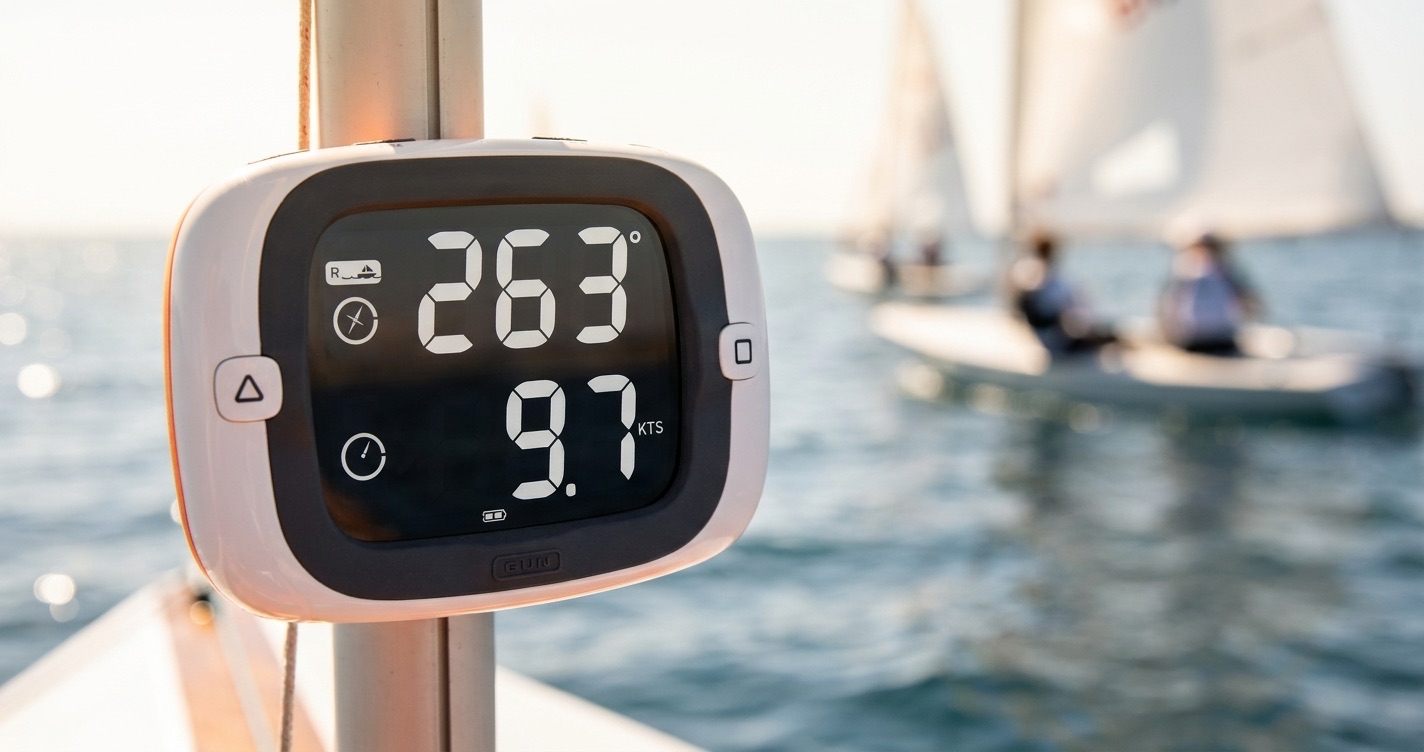
The Velocitek lineup has been mounted all over dinghies for over a decade. Tough, simple, accurate. The Prostart in particular is still one of the cleanest race-start instruments you can buy: distance and burn time to the line, in big readable digits, with no setup.
What it doesn't do is post-race analysis. That's where ChartedSails comes in. Pair your Velocitek with ChartedSails and the same device that won you the start gives you the full debrief afterwards.
Which Velocitek to use
- Velocitek Prostart — the line-distance and race-start specialist. Mark a start line by sailing past each end, and the Prostart shows distance-to-line and burn time in real time. Records the full GPS track in the background, which is what we care about for analysis.
- Velocitek SpeedPuck — compact SOG and max-speed display, popular on windsurfers and small dinghies. The Classic SpeedPuck records a GPS track; some early displays don't, so check yours before relying on it for analysis.
For ChartedSails-quality analysis, the Prostart is the safest bet — it records a 4Hz track every session and exports to a .vtk file that we read directly.
Recording a race
The Velocitek line is famously low-fuss. Power on, sail, power off. A few habits that matter for getting good analysis afterwards:
- Power on before the warning gun. Velocitek devices take ~30 seconds to acquire a clean GPS fix. Turn it on early so the prestart is captured.
- Mark the start line on the Prostart. Sail past the pin end, press the button to mark it; sail past the boat end, mark it. The Prostart will compute distance and time to the line from then on — and ChartedSails will use the same line geometry when it imports the file.
- Capture the gun time. Press the GUN button at the warning signal to start the countdown. If you sync to the wrong signal, the +1 / -1 buttons adjust the minutes while the seconds keep rolling. The Prostart records the corrected start time in the
.vtkfile and ChartedSails uses it to lock the race start. (Full timer manual on velocitek.com.) - Keep the device powered until you're at the dock. The end-of-session approach data is useful for sanity-checking the track.
- One file per session is fine. ChartedSails detects multiple races inside a single track. You don't need to power-cycle between races.
Get the .vtk file off the device
How you get the file off depends on how old your Velocitek is. Plug it into a computer with a micro-USB cable — if it pops up as a regular USB drive, you're on the newer firmware and you can just copy files. If it doesn't, you'll need Velocitek Control Center.
Newer devices: copy the file directly
Recent Velocitek devices mount as a USB mass-storage drive when plugged in. Open it like any other disk and copy the .vtk file for the session you want. From there, drag it into the upload area on ChartedSails and you're done.
This also works straight from your phone. With a USB-C ↔ micro-USB cable (or your iPhone's adapter), plug the Prostart into the phone, open the Files app, and the device shows up as an external drive. Open the file from there with the ChartedSails mobile app — no laptop in the kit bag.
Older devices: Velocitek Control Center
If your device doesn't mount as a disk, use Velocitek Control Center (free from velocitek.com — Windows and macOS):
- Connect the device with a micro-USB cable.
- Open Velocitek Control Center and let it download the sessions.
- Pick the session you want and click Open in ChartedSails — Control Center has a built-in button for it. The file is handed straight to ChartedSails in your browser.
If you prefer to keep the .vtk file, Control Center lets you save it locally first; you can drag it onto the ChartedSails Prostart converter any time later — or onto your main upload area if you're signed in.
What you get in ChartedSails
A Velocitek track in ChartedSails gives you:
- A full track replay with second-by-second SOG and heading.
- Automatic maneuver detection — every tack and gybe with entry / exit speeds and VMG loss.
- Race detection — start, beats, runs, mark roundings, leg-by-leg numbers, using the start line you marked on the Prostart.
- Wind detection from the track shape, so you get true wind angles and VMG without an instrument feed.
- A shareable Sailing Report PDF that turns the day into a structured debrief.
If you race in a class where multiple boats use Velocitek devices, anyone can upload their .vtk files into a shared session and ChartedSails will line up all the tracks in the same conditions.
Troubleshooting
Velocitek Control Center won't recognize my device. Try a different USB cable (the supplied micro-USB cables wear out). On macOS, recent OS versions need explicit USB permission — re-plug the device after granting it.
My .vtk file uploads but the track looks empty. The session may have been very short or never acquired GPS. Check in Velocitek Control Center first to confirm the track has points.
ChartedSails put my start line in the wrong place. The Prostart line you marked is in the file, but it's editable in ChartedSails — drag either end, or re-mark, and the leg-by-leg numbers recompute live.
Sailing with other devices
ChartedSails works with most sailing GPS hardware. If you also race with one of these, set them up the same way:
- Sailing with a Garmin watch — Fēnix, Forerunner, Instinct
- Sailing with an Apple Watch — with Open GPX Tracker
- Sailing with a Vakaros Atlas — Atlas 2 and Atlas Edge
See all sailing devices we support →
Velocitek, Prostart, and SpeedPuck are trademarks of Velocitek. ChartedSails is not affiliated with or endorsed by Velocitek.